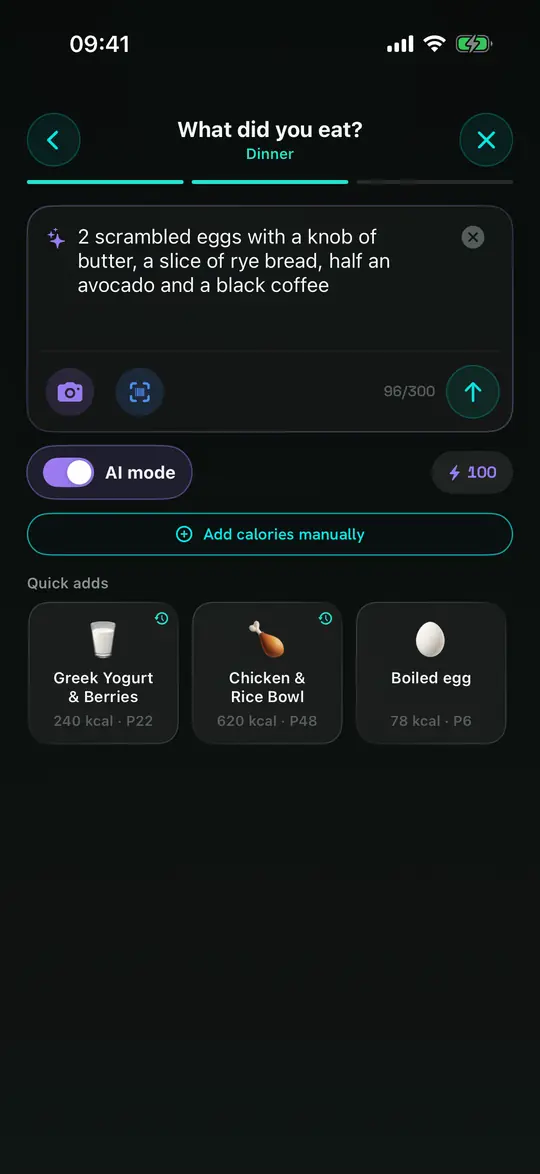
Photo to calories
Snap your plate or describe it in plain words. StayFit estimates the calories and macros, and you set the portion afterwards so they scale with it.
Calorie deficit, made obvious
StayFit works like a bank account for calories. Your metabolism is the budget, meals are the spending, and steps and workouts earn it back.
Free to use. No ads. Try Premium free for 7 days.
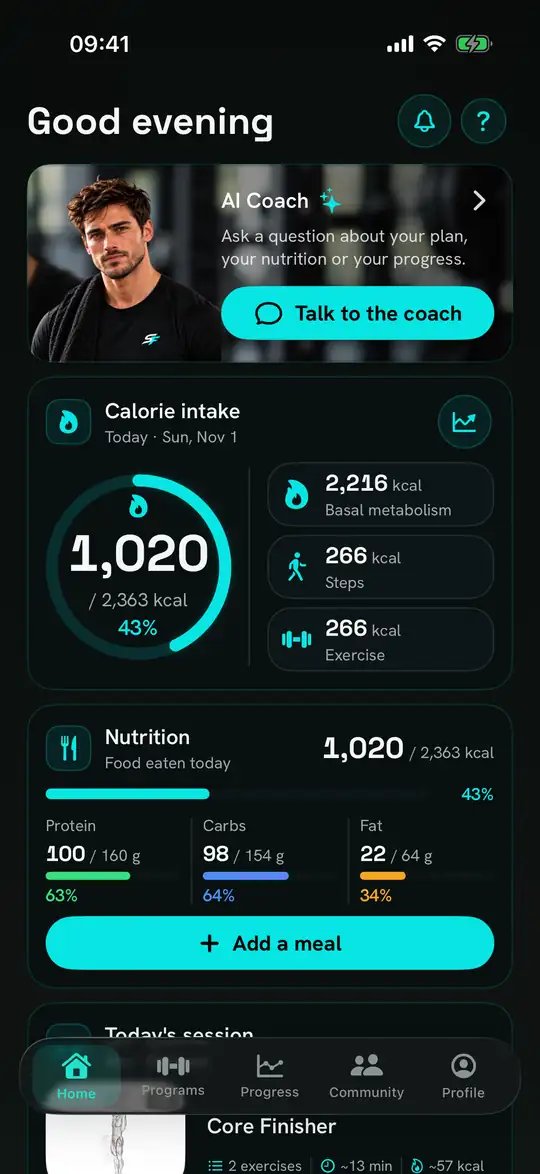
Food, training and progress in the same place, because they are the same problem.
Snap your plate or describe it in plain words. StayFit estimates the calories and macros, and you set the portion afterwards so they scale with it.
Ask about your plan, your meals or your training, right from Home. The coach only reads your data after you agree on a consent screen, and every plan includes AI credits each month.
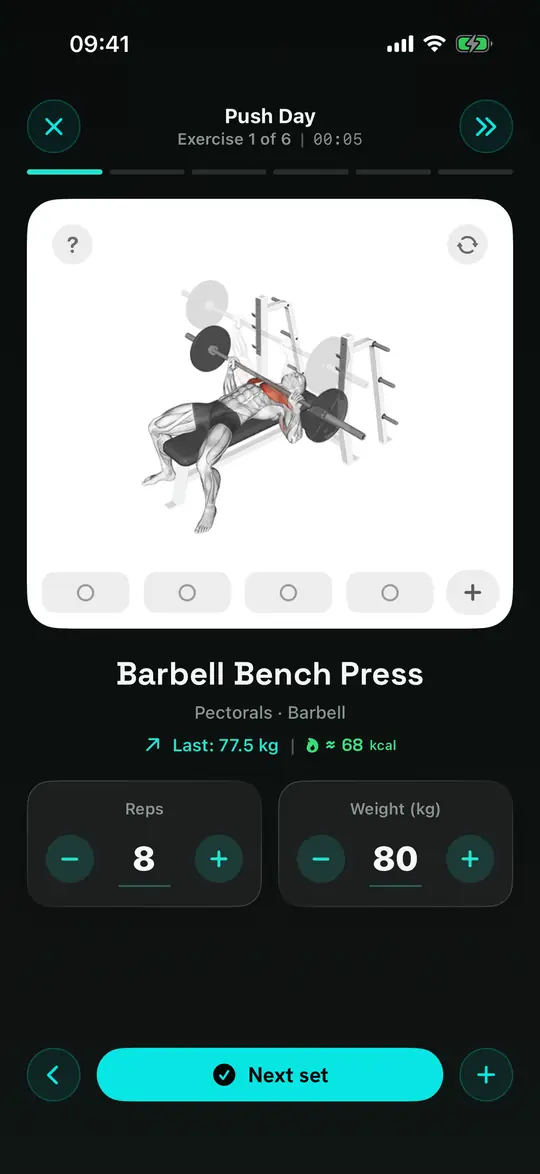
Form animations for every movement, a rest timer, and a live session that logs each set as you go.
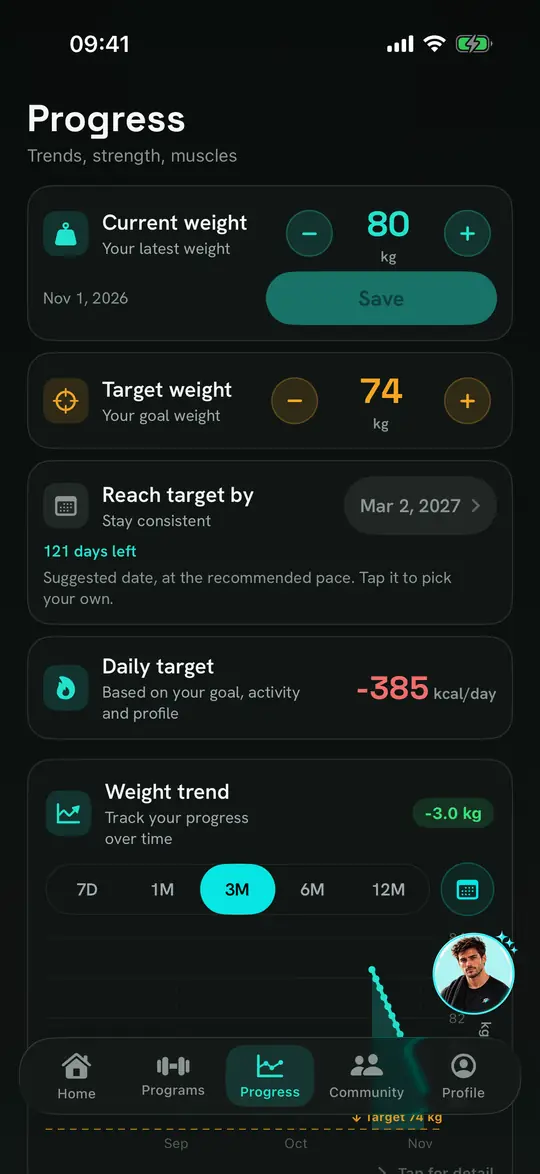
Your weight trend, your target date and your daily deficit in one place, so you know the plan is working.
Your height, weight, age and sex, your activity level and your goal: lose fat, maintain or gain muscle.
StayFit calculates your metabolism with the Mifflin-St Jeor formula, scales it to your activity and adjusts it for your goal.
Food spends the budget. Steps and workouts earn part of it back. What is left is your deficit or your surplus.
The whole calorie balance is free. Paid plans add the AI and the deeper analysis. Both paid plans start with a 7-day free trial.
$0
No time limit
$4.99/month
or $49.90/year (save 16%)
$9.99/month
or $83.99/year (about $7.00 a month, save 29%)
| Feature | Free | FOOD AI | Premium |
|---|---|---|---|
| The calorie balance | ✓ | ✓ | ✓ |
| Food search and barcode scanner | ✓ | ✓ | ✓ |
| Manual calorie entry and macros | ✓ | ✓ | ✓ |
| Live gym session log | ✓ | ✓ | ✓ |
| Weight trend and history | ✓ | ✓ | ✓ |
| AI credits each month | 10 | 100 | 100 |
| AI Coach (spends credits) | ✓ | ✓ | ✓ |
| AI food logging (photo or words) | ✕ | ✓ | ✓ |
| Programmes | 1 | 1 | Unlimited |
| Program library | ✕ | ✕ | ✓ |
| Strength and tonnage insights | ✕ | ✕ | ✓ |
| CSV export | ✕ | ✕ | ✓ |
| Evolution video from your photos | ✕ | ✕ | ✓ |
| Full-screen reminders | ✕ | ✕ | ✓ |
Prices are shown in US dollars; the store shows your local price before you buy. Subscriptions are billed by Apple or Google, and you can cancel any time in your Apple Account or in Google Play.
Yes. At the end of setup you sign in with Apple or Google. The account keeps your plan and history in sync across devices and carries your subscription, friends and the leaderboard.
From the Mifflin-St Jeor formula using your height, weight, age and sex, multiplied by your activity level, then adjusted for your goal (lose fat, maintain, gain muscle). Food spends the budget; steps and workouts earn part of it back.
By design. A day where you logged nothing is not a zero-calorie day, so it is left out of the charts and the averages instead of dragging them down.
Tap Add food, pick the meal, then choose Photo, Scan (barcode), Describe (type it in plain words) or a manual calorie entry. Quick adds log a preset food in one tap. Set the portion afterwards and the calories and macros scale automatically.
Nowhere. They stay in the App’s private storage on your phone, are never uploaded, and are deleted when you delete the App.
Only if you allow it, and only to read steps, active energy and workouts so your burn is credited. StayFit never writes to Health, and you can revoke the permission in your system settings.
Subscriptions are billed by Apple or Google, so cancel in your Apple Account → Subscriptions, or in Google Play → Payments & subscriptions. Cancelling before the trial ends costs nothing.
Profile → Settings → Delete account. It erases your account and its data from our database. Or email us and we will do it for you.
More help on the support page.
Free on iPhone and Android, with no ads. Try Premium free for 7 days.